As you may know, Azure recently updated it’s UI, and I’ve found it to make using the portal overall slightly harder as it takes extra clicks to get to different menus.
If you would like to revert this change, you can simply go to portal.azure.com and click the ‘Settings’ cog at the top right, and you can then click ‘Appearance + startup views’ and set the ‘Service menu behavior’ to ‘Expanded’.
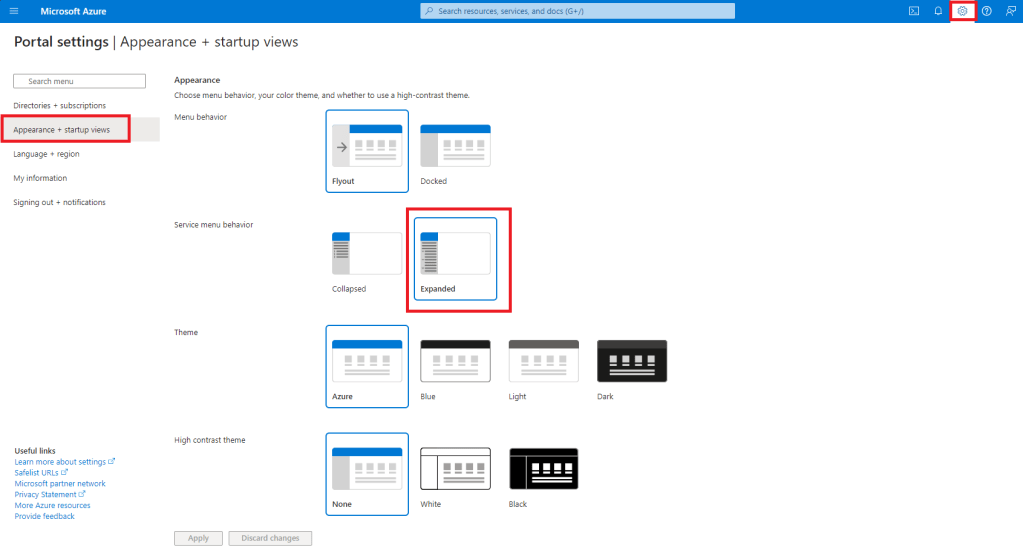
I’d also say, it might be a good time to try out the dark mode for Azure, as I never even thought of using it even though I’ve used Azure for a couple years.
 Azure Envisioned
Leave a comment